How to Create Interactive PDFs and Flipbooks Online
An online interactive PDF is a type of document that allows the user to interact with the content in a variety of ways. Unlike a regular PDF, the online publication lets the user browse through the publication in more engaging ways than what is offered as a PDF.
Publishing using FlowPaper begins with a simple PDF document. FlowPaper is available as a online publisher as well as installable software for Mac and PC.
There are no programming skills required to convert your publications into an interactive online document. Go from a simple, flat PDF file to a fully interactive flipbook with links, videos and images that works anywhere you want to share it.
How to convert your document into an interactive PDF
1. Upload Your PDF
Upload your PDF file to Flowpaper to begin editing.
2. Choose a Template
Select a layout that defines how your publication looks and behaves.
3. Customize and Add Interactivity
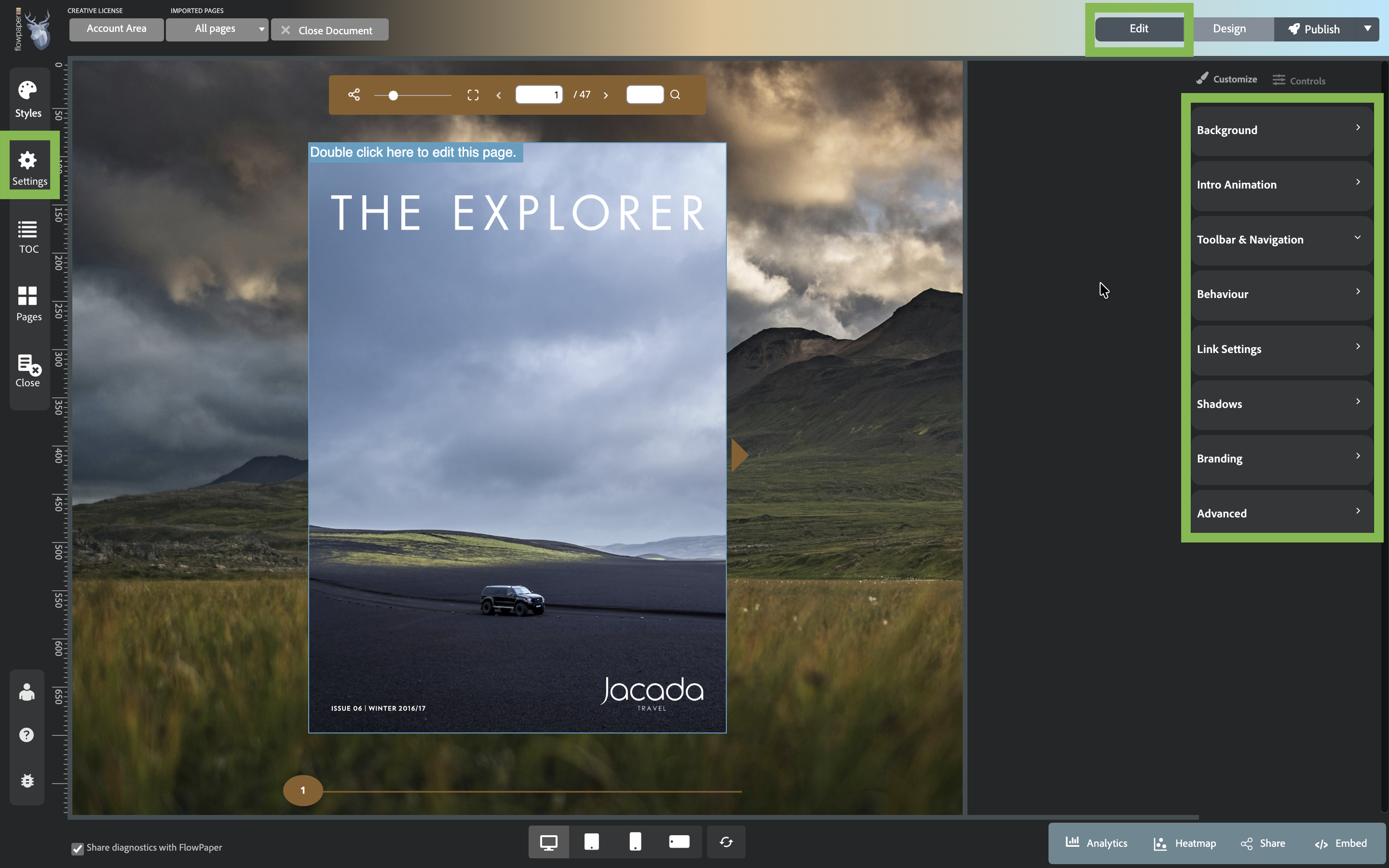 After uploading your PDF, you’ll see the editor interface divided into three main areas:
Settings (left): Adjust options for printing, search visibility, reader statistics, zooming, navigation, and publishing
Customize&Controls (right): Adjust layout, branding, animations, and viewer controls
Edit mode (above Customize): Add links, clickable icons (hotspots), images, and videos.
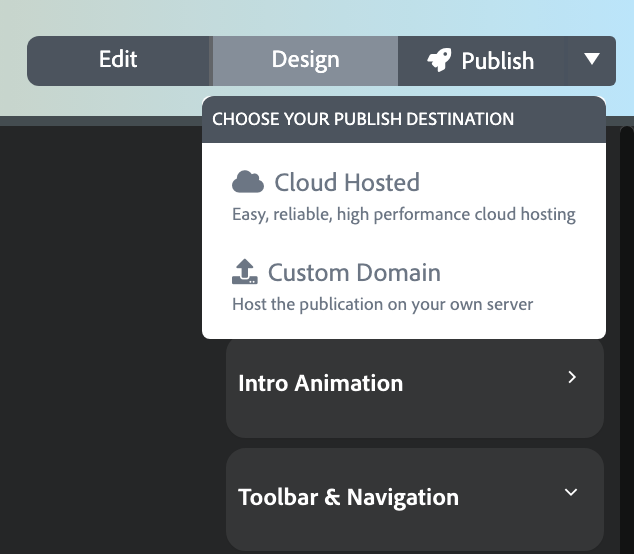
4. Publish Your Document
Click Publish in the top right and choose where to store your publication online:
- FlowPaper Cloud (quick setup)
- Your own website (self-hosting)
Share the link or embed the publication on your website so readers can view it directly on the page.
FAQ
Do I need coding skills?
No, FlowPaper is code-free.
Are flipbooks mobile-friendly?
Yes, publications adjust to different screen sizes, including phones and computers.
Can I embed my flipbook?
Yes, you can embed your flipbook so it appears directly on a website.
Create a free FlowPaper account to get started or see more guides.